


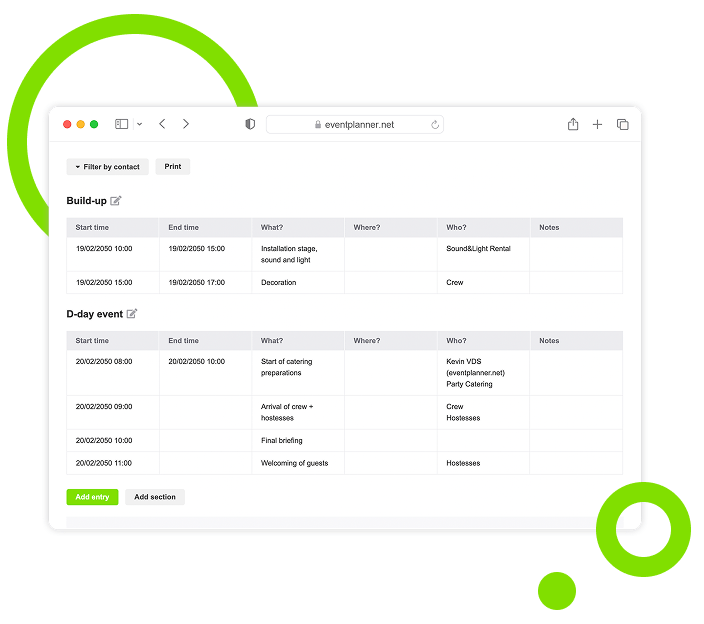
Team & Access: Your Team, Client and Suppliers in One Place
Add everyone who works on your event, invite them with one click and decide per tool what each of them can see and do.
Trusted by 179.000+ Event Organisers












One Contact List for Every Event
Every event has its own contacts: the people who plan it with you, and the people you call on the day.
Everyone in One List
- Name, company, e-mail and phone for every contact.
- Pick the company from businesses on eventplanner.net.
- Bring along people from your earlier events.
Invite in One Click
- Contacts with access get an invitation by e-mail.
- The invitation comes in your name.
- Resend it when it got lost.
Access per Tool
- No access, read or manage, for every tool.
- Comment-only access for checklists.
- Limit someone to the items assigned to them.
Users and Contacts
- Users log in and work on your event.
- Contacts without access stay on your list only.
- Link a contact person to their supplier.
Discover Your Event Planning Toolkit
Your contacts work in every tool of our event software, each with the access you gave them.
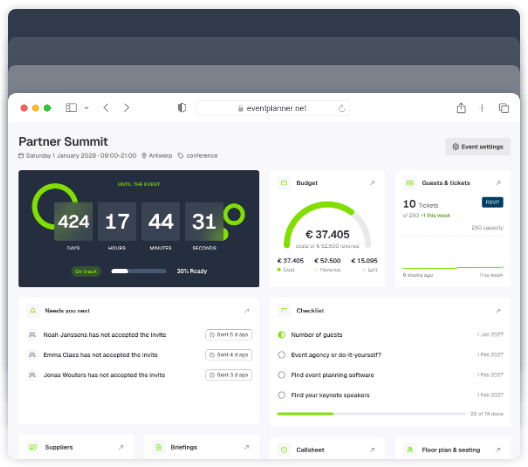
Moodboards
Capture ideas, curate inspiration, and explore vendors to shape your event's vision, theme, and personality.
Checklists
Keep track of every planning detail. Create and assign tasks to your team members, and never miss a deadline.
Budgets
Manage your event budget and expenses. Get a complete overview of fund allocation and track your spending.
Ticketing
Generate event tickets and manage on-site registration. Create easy check-in experiences for your attendees.
Call Sheets
Create a task list for pre-event and event days. Organise your team so everyone knows their responsibilities.
Suppliers
Manage every event partner from one workspace. Link them to budgets, call sheets, and the briefings they need.
Briefings
Build structured briefings that combine generic and supplier-specific instructions, all linked to the right partner.
Event Diagramming
Draw your event floor plan to scale, place tables, stages, bars and walls, and send the layout to your venue.
3D Event Design
Turn your floor plan into a 3D model, walk through it and view the venue before the event.
Plan / Seating
Design a floor plan, assign guests to seats, or let ticket buyers pick their own seat while ordering.
Give Every Person the Right Access
Choose per tool what someone can do: nothing, read, comment, write or manage. Everyone sees what they need, and nothing more.
Your Team
The colleagues who plan the event with you.
-
Manage access to the tools they are responsible for.
-
Read access to everything else.
-
Work in the same tools as you, in real time.
-
The same access in the eventplanner.net app.
Your Client
Follows the event without changing what they should not.
-
Read access to the checklist and callsheet.
-
Comments on tasks, without editing them.
-
No access to your budget and margins.
-
A moodboard to choose ideas together.
Your Suppliers
The people who deliver the event.
-
Only the tasks and callsheet lines assigned to them.
-
Linked to their company in Suppliers (.PRO).
-
Briefings by link and password, also without an account.
-
Or simply a name and phone number on your list.
Invitations and Privacy, Taken Care Of
Invite your people in your own name, follow up who accepted and keep personal details where they belong.
Invitations You Can Follow
Always know who still has to accept.
-
See which invitations are sent or not deliverable.
-
Resend an invitation with one click.
-
Accepting links their existing account.
-
New people create a free account in a minute.
Privacy First
Personal details only for the people who need them.
-
E-mails and phone numbers only for people with access to Contacts.
-
Ticket access only with two-factor authentication.
-
You stay the owner, with full access.
-
Nobody can remove the owner from the event.
Free and .PRO
Start with your team for free, grow with .PRO.
-
Up to 50 contacts per event for free.
-
Up to 400 contacts per event with .PRO.
-
The people you invite do not need .PRO.
-
Suppliers and seating need .PRO per person.
Your Contacts Connect Every Tool
The people on your contact list are the people you give work to, everywhere in your event.
Checklists
Assign tasks to your contacts and let them follow the tasks they care about.
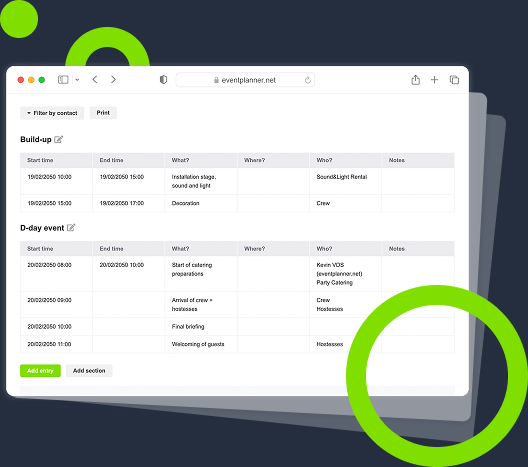
Callsheets
Assign every line of your run-of-show to the person who does it.
Briefings
Send each contact or supplier the sections that are meant for them.
Suppliers
Link contact persons to their company, so you know who to call.
Frequently Asked Questions
-
Do the people I invite need an account?
Only the people who need access. A contact with access gets an invitation by e-mail and logs in with their own eventplanner.net account. Without an account yet, they create one for free. A contact without access is only a record on your list and never gets an e-mail.
-
Do my team members need .PRO?
No. The people you invite use the free tools of your event without a membership, and your event does not count as one of their own active events. Only Suppliers and Plan / Seating need a .PRO membership for every person who opens them.
-
How many contacts can an event have?
Up to 50 in the free version, you included, and up to 400 with .PRO. The limit follows the membership of the person who adds the contacts.
-
Which access levels are there?
For every tool: No access, Read or Manage. Checklists also have Comment, for people who may comment on tasks without changing them, and Tickets have Write, for people who may add and edit guests. For checklists and callsheets you can also limit someone to the items assigned to them.
-
Can I add the people I worked with before?
Yes. Import contacts from your earlier events in one go and give them their access at once. And when you start a new event as a copy of an old one, the contacts and their access can come along.
-
Can contacts without access still get work?
Yes. You can assign checklist tasks and callsheet lines to them and send them a briefing through a link with a password. They just cannot log in to your event.
-
Why does ticket access need two-factor authentication?
Tickets hold the personal data of your guests. That is why you can only give someone access to Tickets once their account is protected with two-factor authentication: a code from their phone next to their password.
-
Who can see the e-mail addresses and phone numbers of my contacts?
Only the people with access to Contacts see the full list with e-mail addresses and phone numbers. The others only see the names they need in their own tools, such as the person a task is assigned to.
free forever
Perfect for professionals and smaller event planning teams managing one event at a time.
from per seat/month
Great for professionals and larger teams managing multiple events at a time.
from per month
Perfect for organisations requiring custom solutions, advanced security, and dedicated support
Event Planning Software That Grows With You
Select a plan that matches your ambitions, whether you're managing a single event or running multiple projects simultaneously.