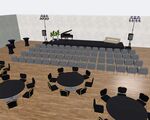


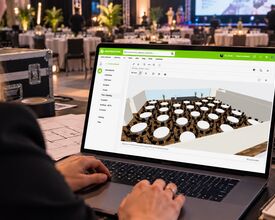
Every event layout starts with the same question: what does the room really look like? Until now, the answer meant an email to the venue, a PDF that arrived days later (or never), and an evening of redrawing walls, pillars and doors yourself, hoping every measurement was right.
Not any more. Venues on eventplanner.net can now publish the floor plans of their rooms on their business page, and you import them straight into your own event in the eventplanner.net event software. Drawn to scale, checked by us before they go online, and ready to view in 3D.
Drawn by the people who know the room
Nobody knows a room better than the venue itself. That is why venues now draw their rooms in the same floor plan designer you use in the event software, and share three things with you:
- The floor plan of every room. The empty room, to scale: the walls, doors, windows and pillars, and everything that is fixed, such as a built-in bar, a stage or the rows of a theatre.
- Ready-made setups. The same room laid out for a dinner with round tables, a conference in theatre style, a classroom, a U-shape, a meeting or a standing reception, each with its capacity. Import a setup and your room is already furnished: you only fine-tune it and seat your guests.
- Their own furniture in 3D. A venue can add 3D models of the chairs, tables and sofas it really has. They come along with the plan, so the 3D view shows the room as your guests will see it on the day.
What this means for you: no more chasing plans, no more drawing rooms from scratch, and no more surprises because a pillar was half a metre off. You start from the real room and spend your time on the layout itself.
First up: Bluepoint Antwerp
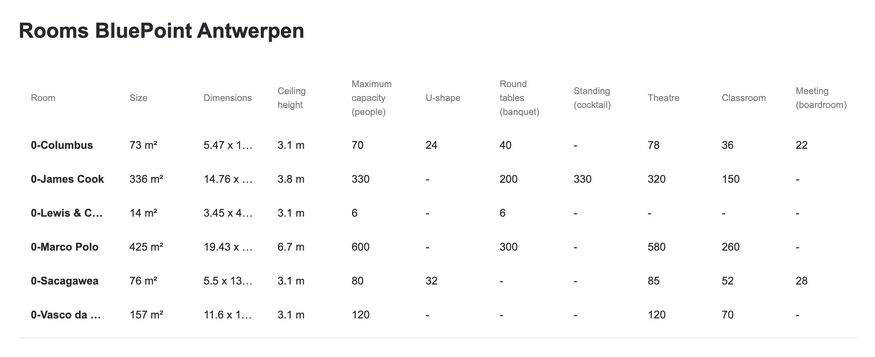
Bluepoint Antwerp is the first venue to put its floor plans online. Six of its rooms are already there, from the Lewis & Clark boardroom for 6 people to Marco Polo, a 425 m² hall with a ceiling of 6.7 m that seats 580 in theatre style. The rest of the building follows in the coming weeks.
On the Bluepoint business page, a table compares all rooms at a glance: size, ceiling height, and capacity per setup. Below it, every room has its description, its photos, the empty floor plan and every setup the venue drew. Click a plan to see it larger.
The rooms of Bluepoint Antwerp at a glance: size, ceiling height and capacity per setup:
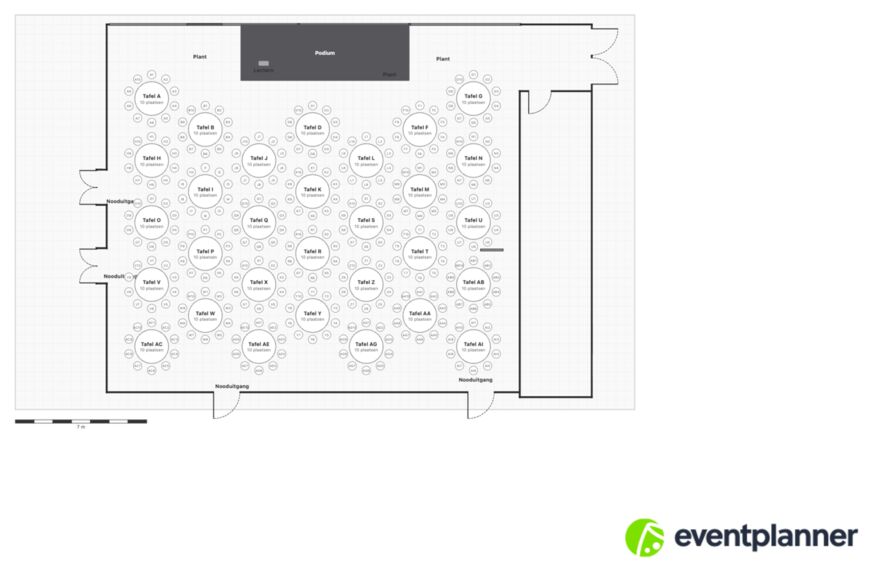
Marco Polo: the empty room and three ready-made setups, each with its capacity:
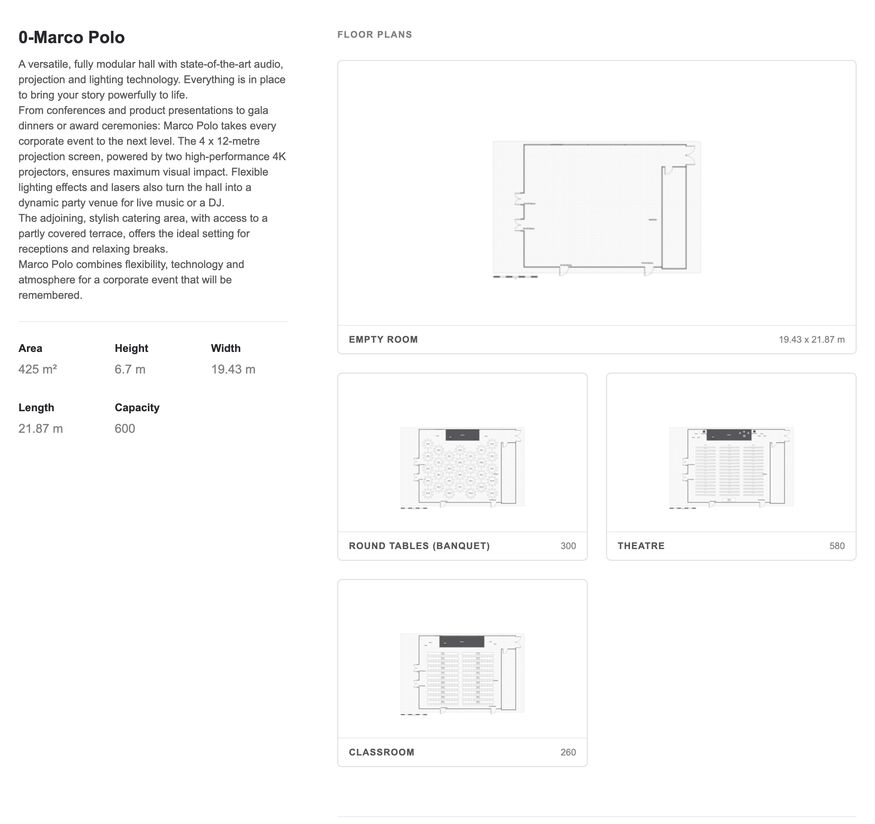
Click a plan to see it larger: the round tables setup of Marco Polo, for 300 guests:
Import a venue plan in four clicks
You import the plan from where you draw your layout: event diagramming in your event.
- Open your event in the event software and go to Plan / Seating.
- Click Venue plan at the top left of the designer.
- Under Import a venue floor plan, type the venue name or its city, then select the venue from the list.
- Pick the room and the floor plan or setup you want, and click Import this plan.
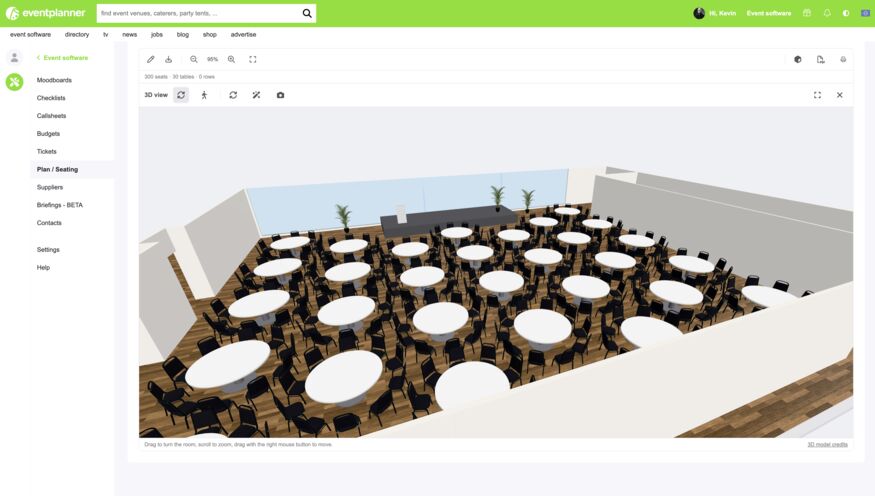
That is it. The room is on your plan, to scale, with every wall, door and pillar where it really is. Move tables, add a stage or a bar, seat your guests or let ticket buyers pick their own seat. Then click View in 3D and walk through the room before you have set foot in it.
Good to know: you import a plan into an empty plan, so do it before you start drawing. Plan / Seating is part of .PRO. Read how to use Floor plans for everything the designer can do.
Your venue not there yet? Ask for it
Bluepoint is the first, not the last. More venues are adding their rooms now, and more floor plans will come online over the next few months.
Is the venue of your event not in the list yet? Then ask for its plan without leaving the software. Search for the venue under Import a venue floor plan and click Request the venue to submit their floor plan. We send the venue a message on your behalf, and you follow up in your eventplanner.net inbox. Every request tells a venue that organisers are waiting for its plans.
Venues: put your rooms on eventplanner.net
Do you run a venue? Then you know the questions by heart. How big is the room, how many people fit in for a dinner, and can you send the floor plan? The Rooms tab of your business page answers them once, for every organiser.
Add each room with its size and its capacity per setup, draw the floor plan, add the setups you offer and link the photos that show the room. Already have an architect's plan or an evacuation plan? Upload it and draw over it, no need to measure again. We check every room before it goes online. The tab works the same for a free and a paid business page.
What you get in return: organisers who plan in your real room, layouts that fit, emergency exits that stay free, and far fewer e-mails back and forth. Your room page even tells you how many organisers imported each room.
Read how to add the rooms and floor plans of your venue to get started. Need a hand with your first room? Contact us and we will help you set it up.
Less admin, more impact
Venue floor plans are one more step towards something we have worked on for years: automating every part of event planning that can be automated. Chasing down documents, redrawing rooms, and copying numbers from one tool to the next take hours that don't make your event any better. The time you win goes to what does: the concept, the experience and the details your guests remember.
In 2027, eventplanner.net turns 25, and we have a lot planned for our birthday. Not using the eventplanner.net event software yet? Start now, and be ready for everything that is coming.
Source: Photo: created with the help of AI, screenshot is real